
Apple Wallet
Save the event ticket on iPhone and show it from Apple Wallet at the door.
Admin app
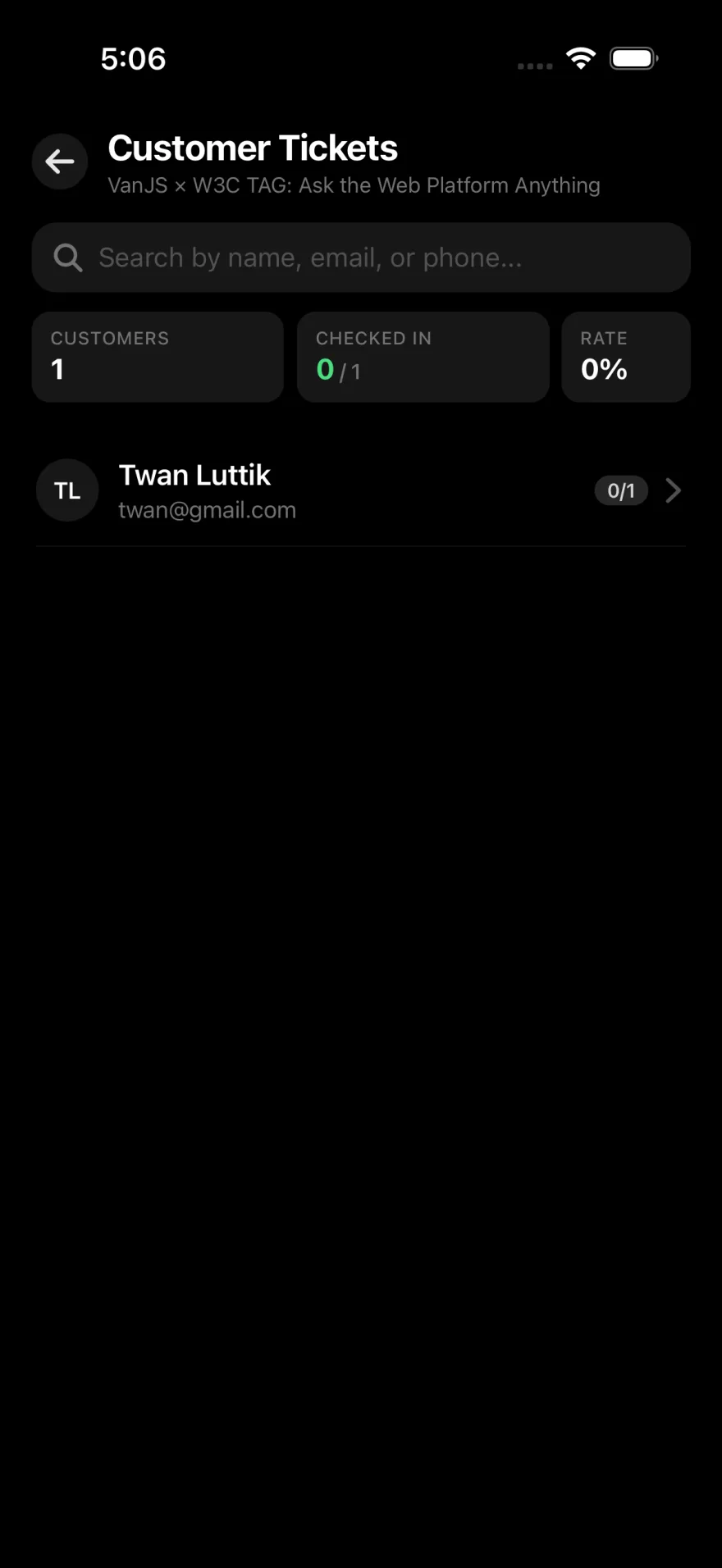
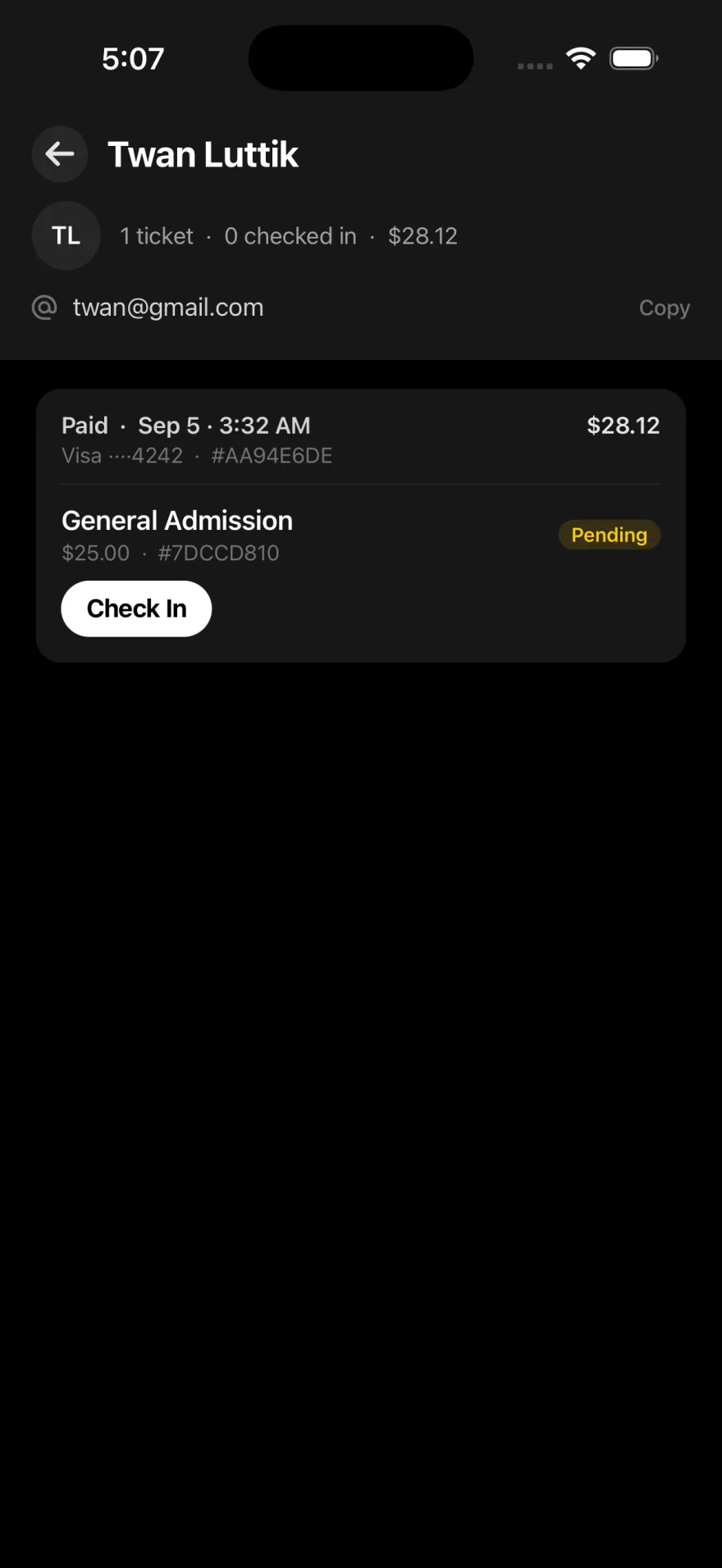
The admin app verifies the ticket and checks the guest in. QR at the door, a customer list when you need it, live counts while the line moves.
Scan the QR
Staff open the admin app and scan the guest ticket. Voided tickets stay out.
Find a buyer
Search by name, email, or phone when the code is not in their hand.
Check them in
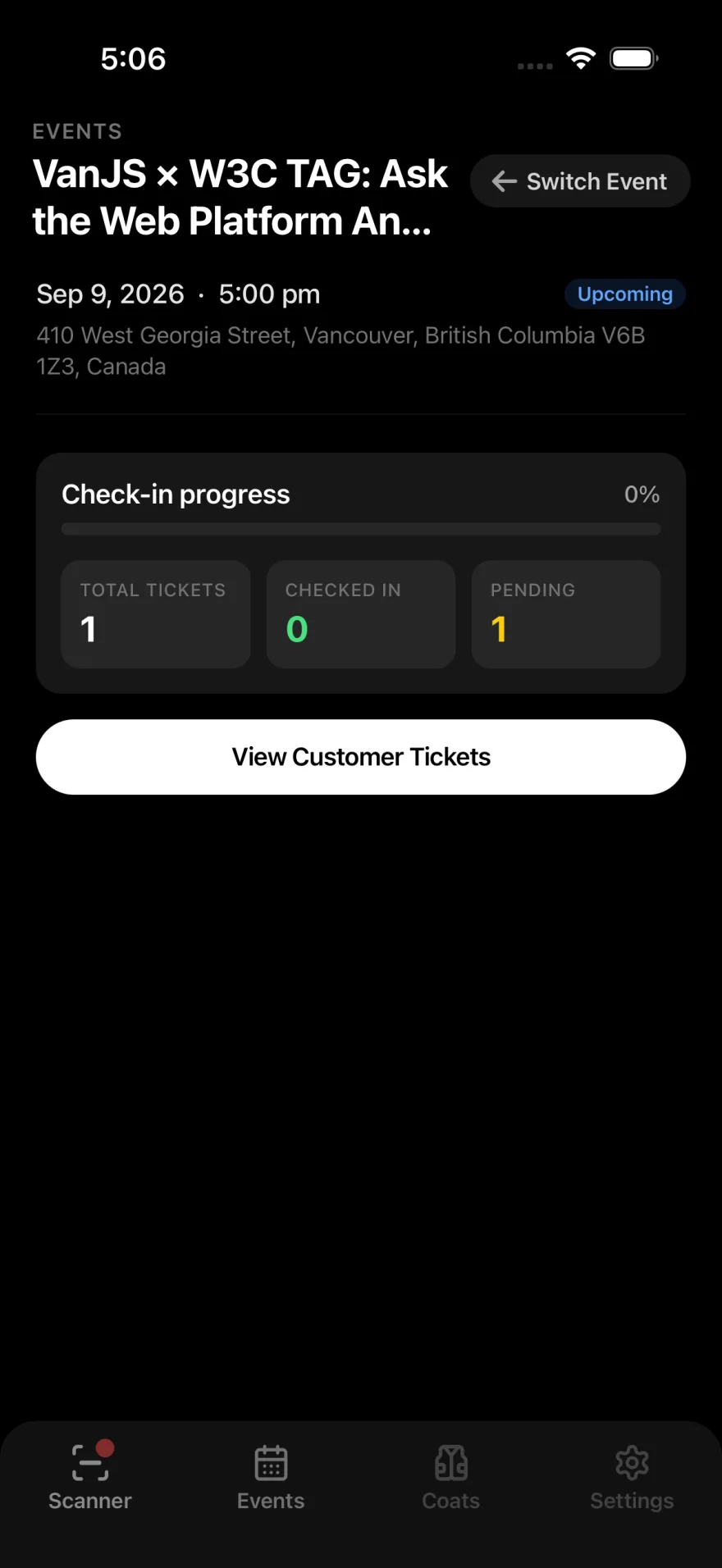
One tap on the ticket. Live counts show who is already through the door.
Apple Wallet and Google Wallet
From the ticket page. Staff scan the same QR from the wallet or the PDF.
Apple Wallet
Save the event ticket on iPhone and show it from Apple Wallet at the door.
Google Wallet
Save the event ticket on Android and show it from Google Wallet at the door.
At the door
Scan the QR
Staff open the admin app and scan the guest's ticket. A voided ticket does not check in.
Find them without it
If the code is not in their hand, search by name, email, or phone and check that ticket in from the list.
Watch the line
The count of who is already through the door updates as you scan, so the door knows what is left.